

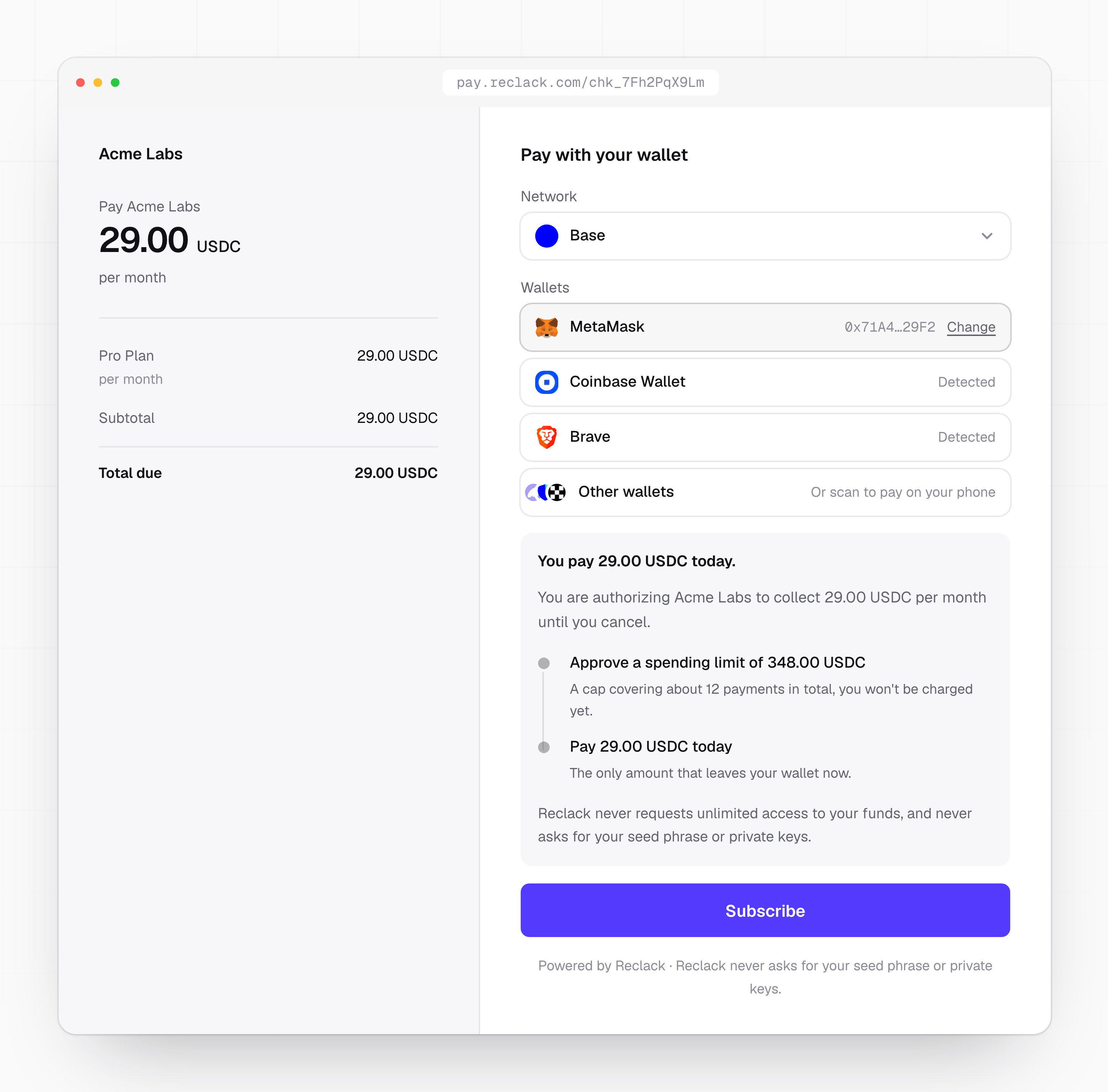
The page your customer opens, carrying your name and the amount
You need a Reclack account and a sandbox API key. Create one in the dashboard
under Developers, then API keys. Sandbox keys start with
rk_sandbox_.1
Set your key
Export the key so the examples below can use it.
2
Create a product and a price
A product is what you sell. A price says how much it costs, how often it is
billed, and on which networks it can settle. You can create both in one
call.The response carries the product with its price nested inside. Keep the
price id: it is what a checkout session is built from.
3
Create a customer
Customers are how payments, invoices and subscriptions stay attached to a
person rather than to an address.
external_id is your own identifier. Sending it means you can look a
customer up later without storing our id.4
Open a checkout session
A checkout session is a hosted page your customer opens to pay. Pass the
price id and the networks you are willing to accept.The response includes a
url. Open it in a browser to see exactly what
your customer sees.5
Pay it in sandbox
The hosted page lists the wallets your browser exposes. Connect one on a
test network, approve the spending limit, and confirm the payment.Sandbox runs on test chains, so you need test funds rather than real ones.
The page tells you which network it expects.
6
Listen for the result
Create a webhook endpoint in the dashboard, then wait for the events. A
completed subscription checkout produces That endpoint lists everything Reclack has emitted for your workspace, which
is handy before your webhook handler exists.
checkout.completed,
payment.succeeded and subscription.created.What you have now
A product with a price, a customer, a completed checkout, and a subscription that will collect on its own schedule. From here:
Subscriptions
What happens on every billing period, and what to do when one fails.

Webhooks
Verify the signature and act on events safely.

Going live
Swap the key, register a settlement address, and ship.

API reference
Every endpoint, with its parameters and responses.